Zone forecast (空品區預報)
The ministry's official air quality forecast for each zone for the days ahead, so you can plan the weekend run or the school trip.
Live AQI and PM2.5 from every Ministry of Environment monitoring station, a plain answer on whether the air is getting better or worse, and an alert when your station crosses the line you set.
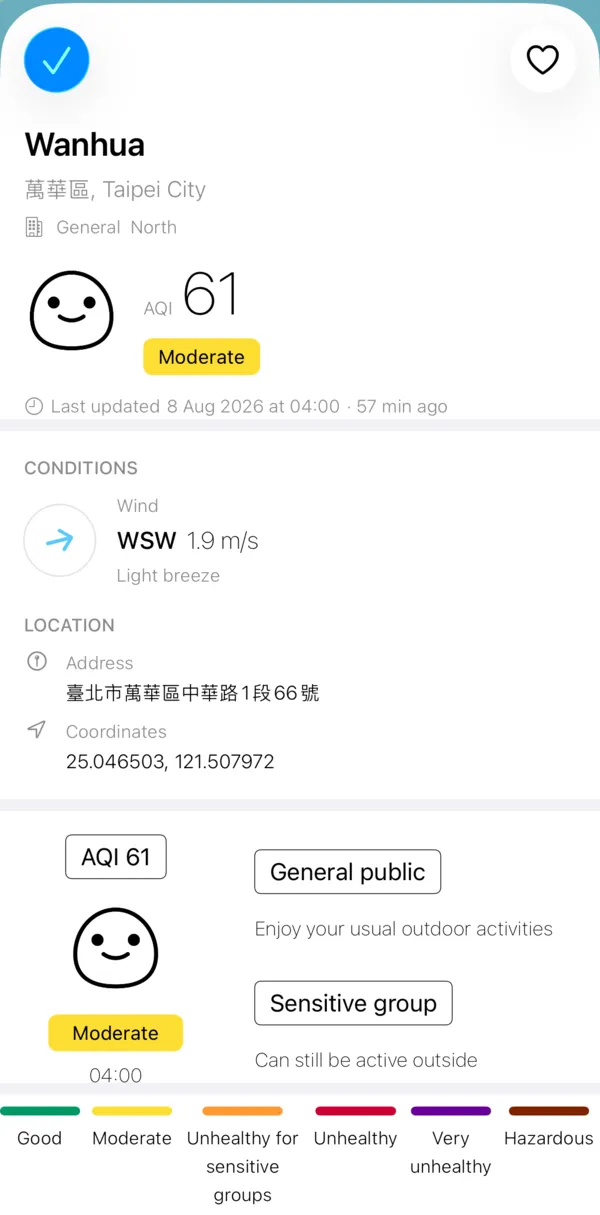
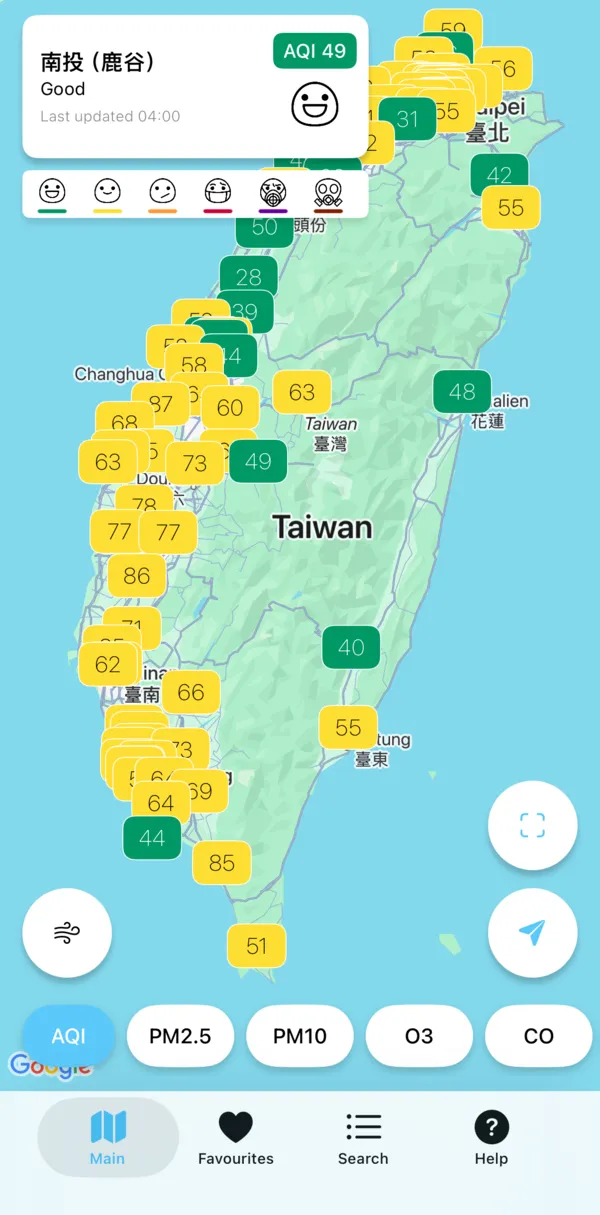
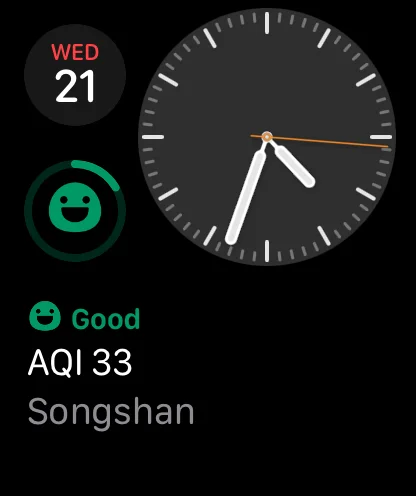
What it does
Open it, see your nearest station, and know in a few seconds whether to open the window, take a mask or run the purifier.
Every official monitoring station is pinned with its current reading and coloured by health band.
Is it getting better or worse? Each station says so in one line, above a 24 hour AQI chart coloured hour by hour.
The ministry's official air quality forecast for each zone for the days ahead, so you can plan the weekend run or the school trip.
Save home, work and school and check them all at a glance. Search by station, township or county, grouped by air quality zone.
Get a notification when AQI at your station rises above your threshold, or drops below one so you know it is safe to open the windows. Set quiet hours and nothing arrives overnight.
Your nearest or first favourite station, in any of the seven indices. Larger widgets list your other favourites too.
Medium and large widgets are ProReadings, forecasts and webcam frames you have opened stay on your device for about a week, so the last numbers are there on the MRT or in the mountains.
The whole app in both languages, with the ministry's official wording for every health band.
Thirty seconds before you leave
tells you whether to take the mask
or keep the window shut.
Outdoor air pollution was classified as a Group 1 carcinogen by the International Agency for Research on Cancer in 2013. Children and older adults are affected most.
Reading the colours
Every marker, widget and watch face uses the official AQI bands, so a colour means the same thing everywhere in the app.
How it works
Get Taiwan Air from the App Store. There is nothing to sign up for.
Allow location to jump to the nearest station, or tap any marker on the map. Your location never leaves the device.
Tap the heart to add it to favourites, choose a threshold and quiet hours, then add a widget or check your watch.
FAQ
Yes. Taiwan Air is free to download and every air quality feature works in the free version, which shows banner ads. Taiwan Air Pro is optional: it removes the ads and adds Apple Watch complications and medium and large Home Screen widgets.
No. There is no sign up and no login. Your favourites and settings stay on your device.
Every reading is open data from the air quality monitoring network of Taiwan's Ministry of Environment (環境部). The zone forecast is the ministry's official 空品區預報. Taiwan Air shows the numbers as published and does not adjust them.
Monitoring stations publish once an hour. The app refreshes on its own and shows when each reading was published and how long ago that was.
Yes. Readings, forecasts and webcam images you have loaded stay on your device for about a week, so the last values are still there without a connection. Widgets show the last saved values too.
Very little. Location is optional and is only used on your device to find your nearest station. If you turn on alerts, your station and threshold are stored so the notification can be sent. We only receive your name and email if you send us the Feedback or Business partner form.
The privacy policy lists everything that is collected and who it is shared with.
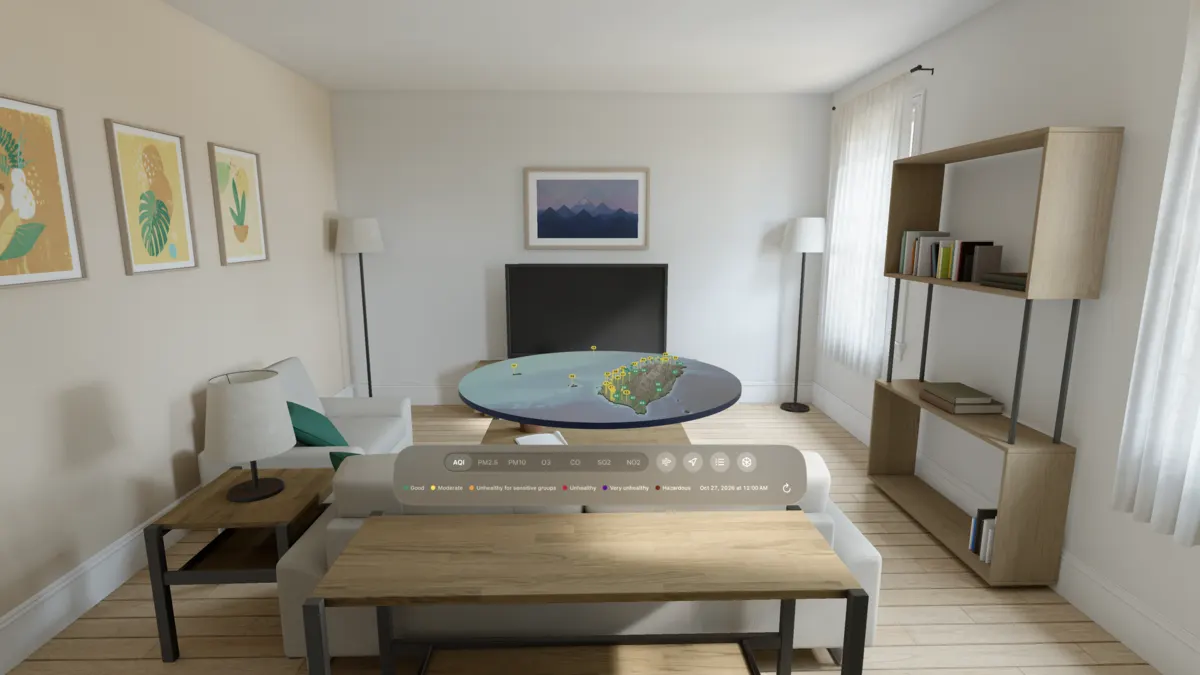
iPhone and iPad with iOS 15 or later, Apple Watch with watchOS 10 or later, and Apple Vision Pro. Home Screen and Lock Screen widgets are included.
No. Taiwan Air is general information. Readings can be late, missing or corrected later by the ministry. If you have health concerns, talk to a professional and check official government sources. See the terms of service.
Contact
Taiwan Air is built by an independent developer. Both forms live in the app, on the Help tab.
Questions, bug reports, ideas, or a request to see or delete what you sent us.
Help›Feedback / Contact us
Advertising, data and API, sponsorship and media enquiries.
Help›Interested to be our Business Partner?
No app to hand? Email info@dllm.io. The forms in the app send what you type, including your name and email, to our own server so we can reply. See the privacy policy.
Free on iPhone, iPad, Apple Watch and Apple Vision Pro. No account needed.